
Context Ark + Cline Workflow: Spec-Driven AI Coding
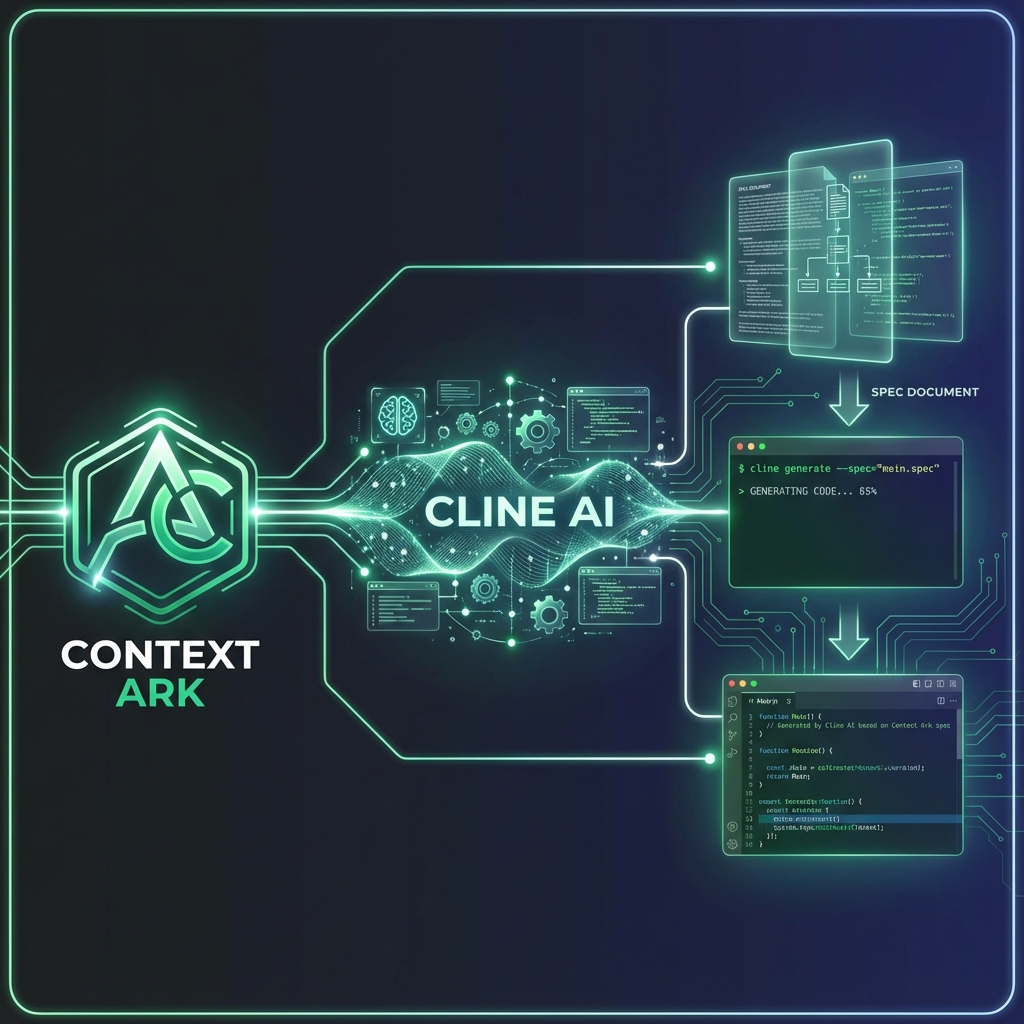
The complete workflow for using Context Ark with Cline. Generate docs, configure .clinerules, prompt against specs, and validate outputs.
TL;DR: Generate specs with Context Ark, configure Cline with
.clinerules, prompt against specs, and validate. Zero hallucinations.
Table of Contents
- Overview
- Prerequisites
- Step 1: Generate Spec Pack
- Step 2: Configure .clinerules
- Step 3: Structure Your Prompts
- Step 4: Validate Outputs
- Common Cline Failures + Fixes
- Prompt Templates
- Related Resources
Overview
The Workflow:
Context Ark → Spec Pack → .clinerules → Cline Prompts → Validation
| Step | Tool | Output |
|---|---|---|
| 1 | Context Ark | 60+ spec documents |
| 2 | .clinerules | Cline operating rules |
| 3 | Prompts | Spec-referenced tasks |
| 4 | Validation | Verified code |
Prerequisites
- Context Ark account (or spec docs manually created)
- Cline installed in VS Code
- Project repository set up
Step 1: Generate Spec Pack
Using Context Ark
- Create a new project in Context Ark
- Complete the Intake flow (brain dump)
- Answer the Q&A (10-15 questions)
- Generate the Kernel + Docs
- Export the pack
Export Contents
docs/
├── AGENTS.md           # AI operating rules
├── prd.md              # Product requirements
├── api-spec.yaml       # OpenAPI endpoints
├── schema.md           # Database structure
├── architecture.md     # System design
├── tech-stack.md       # Technologies
└── ...                 # 55+ more docs
Manual Alternative
If not using Context Ark, create at minimum:
Step 2: Configure .clinerules
Create .clinerules in your project root:
## Cline Operating Rules for [PROJECT NAME]

## Context Loading

Before implementing ANY feature, you MUST:

1. Load `/docs/prd.md` - Check scope and acceptance criteria
2. Load `/docs/api-spec.yaml` - Check endpoint contracts
3. Load `/docs/schema.md` - Check database structure
4. Load `/docs/architecture.md` - Check patterns and integrations

## Implementation Rules

### Scope Enforcement

- ONLY implement features in the PRD "In Scope" section
- REJECT any feature in the "Out of Scope" section
- When uncertain, ask for clarification

### API Compliance

- ONLY create endpoints defined in api-spec.yaml
- Request/response shapes MUST match the spec exactly
- Error responses MUST use the standard Error schema

### Schema Compliance

- ONLY query columns defined in schema.md
- Use exact column names (no guessing)
- Respect all constraints (NOT NULL, UNIQUE, etc.)

### Architecture Compliance

- Follow patterns in architecture.md
- Use the tech stack in tech-stack.md
- No mixing patterns (e.g., REST + GraphQL)

## When Uncertain

1. Ask for clarification before implementing
2. Reference the specific spec section that's unclear
3. DO NOT invent solutions
4. DO NOT add "helpful" features not in scope

## Response Format

When completing a task:

1. List which spec sections were referenced
2. Note any deviations or questions
3. Provide verification steps
Placement
your-project/
├── .clinerules          # ← Here
├── docs/
│   ├── prd.md
│   ├── api-spec.yaml
│   └── ...
└── src/
Step 3: Structure Your Prompts
The Prompt Formula
Context: [spec files]
Task: [specific action]
Constraints: [explicit limits]
Output: [expected deliverable]
Example: Create API Endpoint
Context: /docs/api-spec.yaml, /docs/schema.md, /docs/architecture.md

Task: Implement the POST /api/projects endpoint

Constraints:
- Request body must match ProjectCreate schema
- Response must match Project schema
- Include all error responses from spec
- Use the auth pattern from architecture.md

Output:
- API route file
- List of spec sections referenced
Example: Build Feature
Context: /docs/prd.md (Section 4: User Stories, US-001)

Task: Implement user story US-001 (Project Creation)

Constraints:
- All acceptance criteria must be met
- Only use endpoints from api-spec.yaml
- Only query columns from schema.md

Output:
- Feature implementation
- Verification that each acceptance criterion is met
Example: Fix Bug
Context: /docs/api-spec.yaml, /docs/schema.md

Task: Fix the 500 error on GET /api/projects/{id}

Constraints:
- Response shape must still match spec
- Don't modify the API contract
- Check that column names match schema

Output:
- Fixed code
- Root cause explanation
Step 4: Validate Outputs
After Cline generates code, validate against specs:
Validation Checklist
## API Validation

- [ ] Endpoints match api-spec.yaml
- [ ] Request bodies match schemas
- [ ] Response shapes match schemas
- [ ] Error responses use standard format
- [ ] Auth required where specified

## Schema Validation

- [ ] Queries use correct column names
- [ ] Types match schema definitions
- [ ] Constraints respected (NOT NULL, etc.)

## Scope Validation

- [ ] Feature is in PRD "In Scope"
- [ ] No features from "Out of Scope" added
- [ ] Acceptance criteria met

## Pattern Validation

- [ ] Follows architecture.md patterns
- [ ] Uses correct tech stack
- [ ] No pattern mixing
Automated Validation
Run your standard checks:
npm run typecheck    # TypeScript errors
npm run lint         # ESLint warnings
npm run test         # Unit/integration tests
Common Cline Failures + Fixes
| Failure | Cause | Fix |
|---|---|---|
| Wrong endpoint | Didn't load api-spec | Add explicit spec reference in prompt |
| Wrong columns | Didn't load schema | Reference schema.md in constraints |
| Scope creep | PRD not loaded | Include PRD reference, cite non-goals |
| Pattern mismatch | Architecture not loaded | Reference architecture.md |
| Wrong error format | Spec error schema ignored | Cite specific error schema in prompt |
Example Fix: Scope Creep
Problem: Cline added pagination when you asked for a list endpoint.
Cause: Pagination wasn't excluded in PRD.
Fix:
Context: /docs/prd.md (Out of Scope section)

Note: Pagination is in "Out of Scope" for MVP.
Implement simple list without pagination.
Prompt Templates
Template: New Endpoint
Context:
- /docs/api-spec.yaml (paths section)
- /docs/schema.md (relevant tables)
- /docs/architecture.md (API patterns)

Task: Implement [METHOD] /api/[path] endpoint

Requirements from api-spec.yaml:
- Request: [copy request schema]
- Response: [copy response schema]
- Errors: [list error codes]

Constraints:
- Match spec exactly
- Use auth pattern from architecture
- Follow existing route patterns in /src/app/api/

Output: API route implementation
Template: User Story
Context:
- /docs/prd.md (Section [X], User Story [Y])

Task: Implement US-[XXX]: [Story Title]

Acceptance Criteria (from PRD):
- [ ] [Criterion 1]
- [ ] [Criterion 2]
- [ ] [Criterion 3]

Constraints:
- Only use endpoints from api-spec.yaml
- Only use columns from schema.md
- Check architecture.md for patterns

Output:
- Implementation
- Verification of each criterion
Template: Bug Fix
Context:
- /docs/api-spec.yaml
- /docs/schema.md
- Existing file: /src/app/api/[path]/route.ts

Task: Fix [describe bug]

Constraints:
- Don't change the API contract
- Response must still match spec
- Check column names against schema

Output:
- Fixed code
- Root cause
- Verification steps
Related Resources
Other Workflows
Templates
Guides
Start with specs, end with working code. Generate your spec pack →
Last updated: January 2026
Context Ark Team
Writing about AI, documentation, and developer tools
Is your spec ready for AI?
Vibe coding fails when context is missing. Get a readiness score and find out what you're forgetting.