
Context Ark + Cursor Workflow: Complete Spec-Driven AI Coding Guide

The complete workflow for using Context Ark with Cursor IDE. Configure .cursor/rules, use @file references, validate AI outputs, and ship faster with fewer hallucinations.
TL;DR: Generate specs with Context Ark, configure Cursor rules, use @file references in prompts, and validate against specs. Ship faster, hallucinate less.
Table of Contents
- Overview: Why This Workflow Works
- Prerequisites
- Step 1: Generate Your Spec Pack
- Step 2: Configure Cursor Rules
- Step 3: Master @file References
- Step 4: Prompt Patterns That Work
- Step 5: Using Composer Effectively
- Step 6: Validate and Iterate
- Advanced Techniques
- Troubleshooting
- Prompt Template Library
- FAQs
Overview: Why This Workflow Works
The Core Workflow
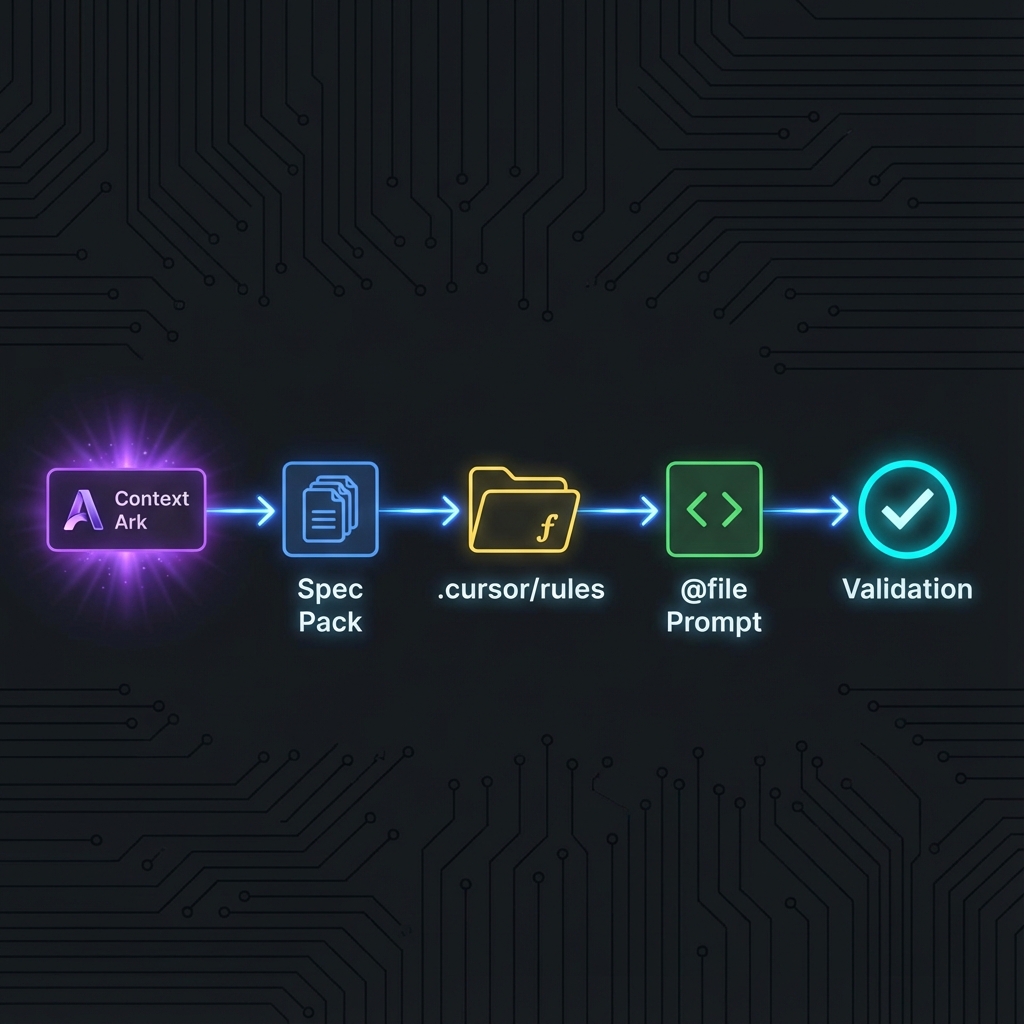
Why Cursor + Context Ark is Powerful
Cursor provides:
- @file references – Include any file in prompts
- .cursor/rules/ – Persistent context for every AI interaction
- Composer – Multi-file operations with full context
- Chat – Conversational coding assistance
- Inline edits – Quick modifications in place
Context Ark provides:
- 60+ spec documents – Comprehensive project documentation
- AI-ready exports – Formatted for LLM consumption
- Consistent structure – Same format across all projects
- Internal linking – Cross-referenced documentation
The Result
| Without This Workflow | With This Workflow |
|---|---|
| AI invents endpoints | AI uses your exact API spec |
| Random column names | AI uses your schema |
| Pattern mixing | Consistent architecture |
| Scope creep | PRD-bounded features |
| Hours debugging | Minutes validating |
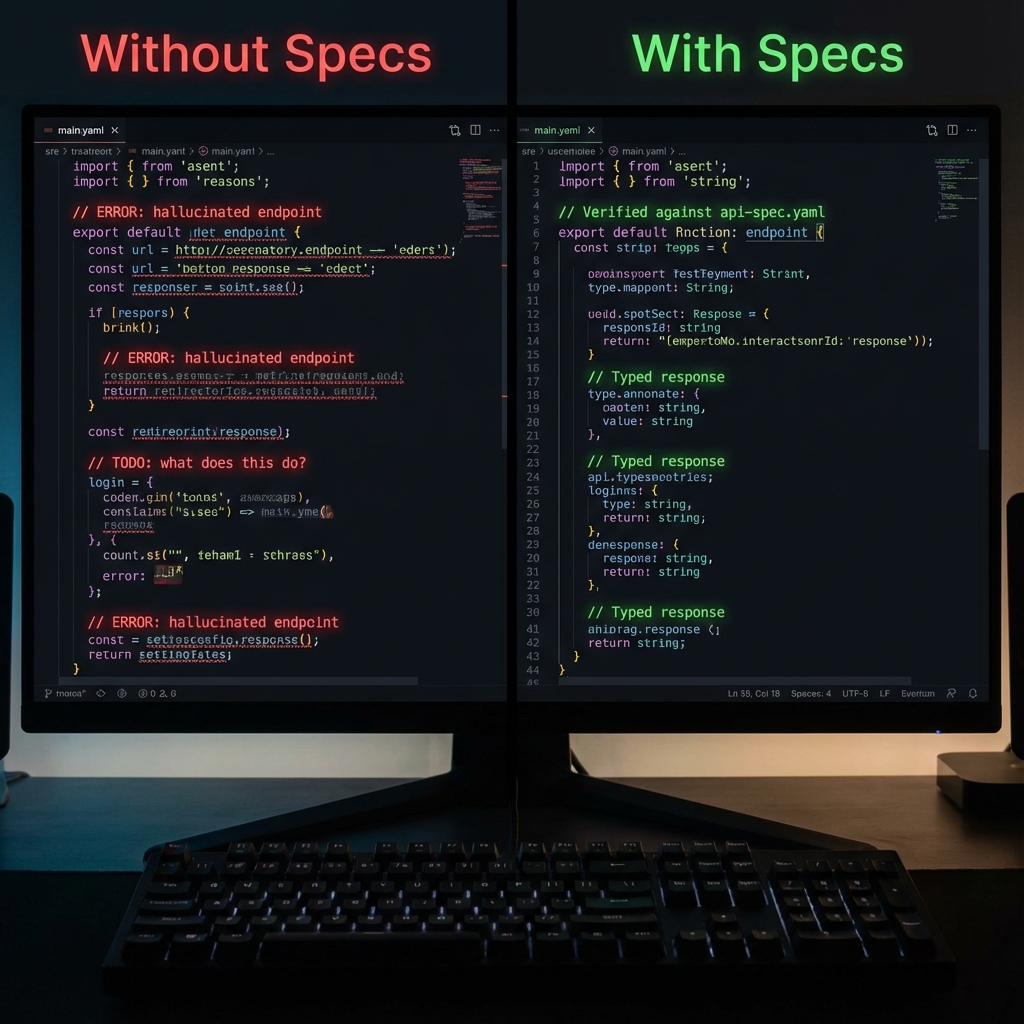
Without specs (left), AI hallucinates APIs. With specs (right), code is verified and correct. | Pattern mixing | Consistent architecture | | Scope creep | PRD-bounded features | | Hours debugging | Minutes validating |
Prerequisites
Required
- Cursor IDE – Download from cursor.sh
- Context Ark account – Free PRD Generator or Spec Readiness Score.
- A project to develop – New or existing
Recommended
- Basic familiarity with Cursor's features
- Understanding of your project's domain
- Git repository set up
Cursor Settings Check
Ensure these settings are enabled:
- Settings > Features > Chat > Include Open Files – ON
- Settings > Features > Composer > Enable Composer – ON
- Settings > Rules > Custom Rules Folder –
.cursor/rules/
Step 1: Generate Your Spec Pack
Using Context Ark
-
Create Project
- Go to Context Ark dashboard
- Click "New Project"
- Enter project name
-
Complete Intake
- Brain dump your idea in natural language
- Answer guided intake questions
- Review generated kernel (summary)
-
Generate Docs
- Click "Generate All Docs"
- Wait for generation to complete (~2-5 minutes)
- Review document set (Check coverage with Readiness Score)
-
Export to Repository
- Click "Export" > "Download ZIP" or "Push to GitHub"
- Extract to your project root
Standard Export Structure
your-project/
├── .cursor/
│   └── rules/
│       └── project-rules.md      # Copy AGENTS.md here
├── docs/
│   ├── AGENTS.md                 # AI agent instructions
│   │
│   ├── 01-vision/
│   │   ├── product-summary.md
│   │   └── problem-landscape.md
│   │
│   ├── 02-users/
│   │   ├── personas.md
│   │   └── user-flows.md
│   │
│   ├── 03-architecture/
│   │   ├── system-overview.md
│   │   ├── api-spec.yaml
│   │   └── schema.md
│   │
│   ├── 04-features/
│   │   ├── prd-core.md
│   │   └── prd-integrations.md
│   │
│   └── 05-implementation/
│       ├── tech-stack.md
│       └── deployment.md
│
└── src/
    └── ... your code ...
Quick Setup Script
## After exporting from Context Ark (or generating your [PRD manually](/tools/prd-generator))
cd your-project

## Create Cursor rules directory
mkdir -p .cursor/rules

## Copy AGENTS.md as main rules file
cp docs/AGENTS.md .cursor/rules/project-rules.md

ls -la .cursor/rules/
Visualizing the Handoff
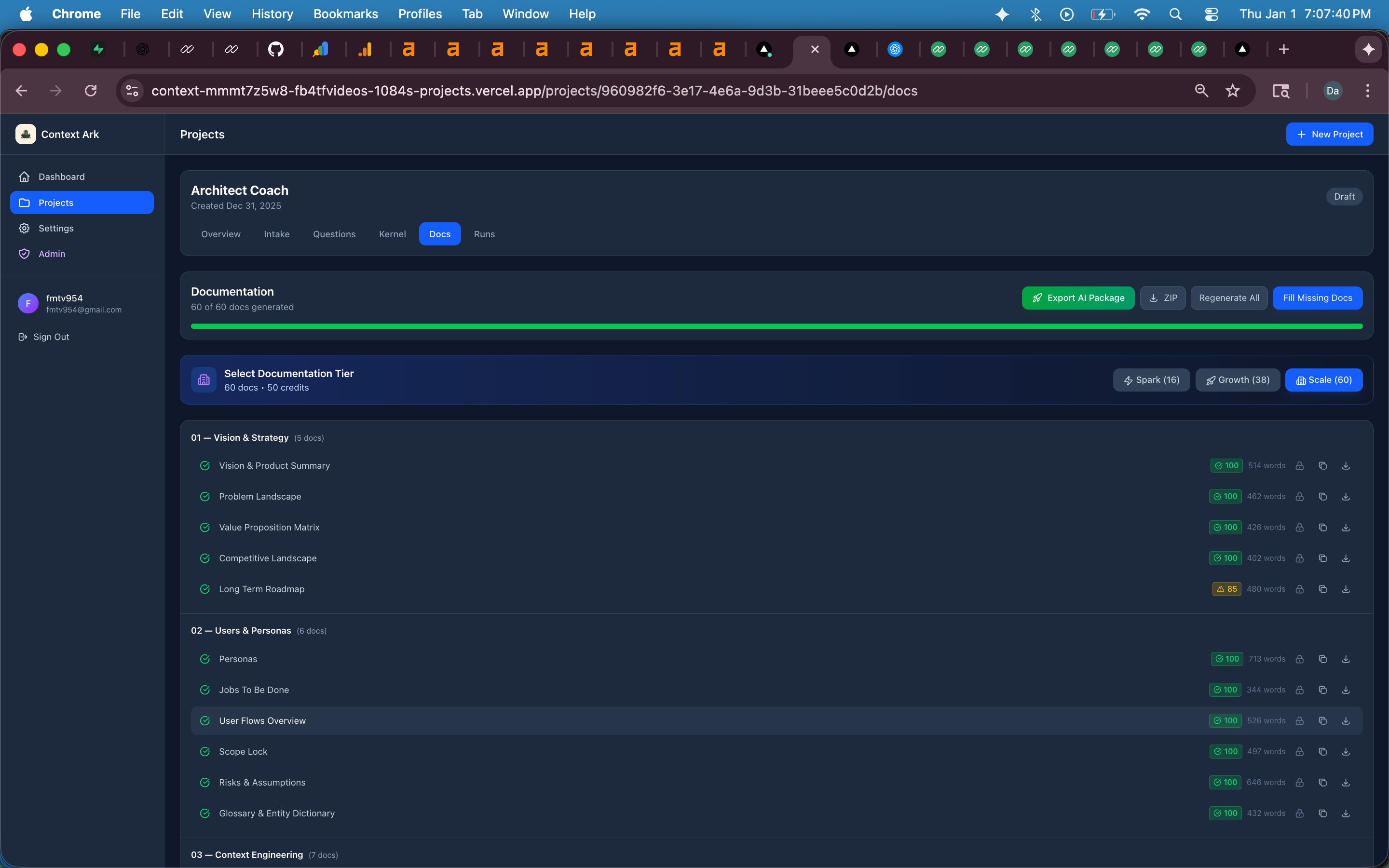
Context Ark generates the structured documentation that becomes the brain for Cursor.
Step 2: Configure Cursor Rules
The Rules System
Cursor's .cursor/rules/ directory contains markdown files that provide persistent context. These rules are automatically included in AI interactions.
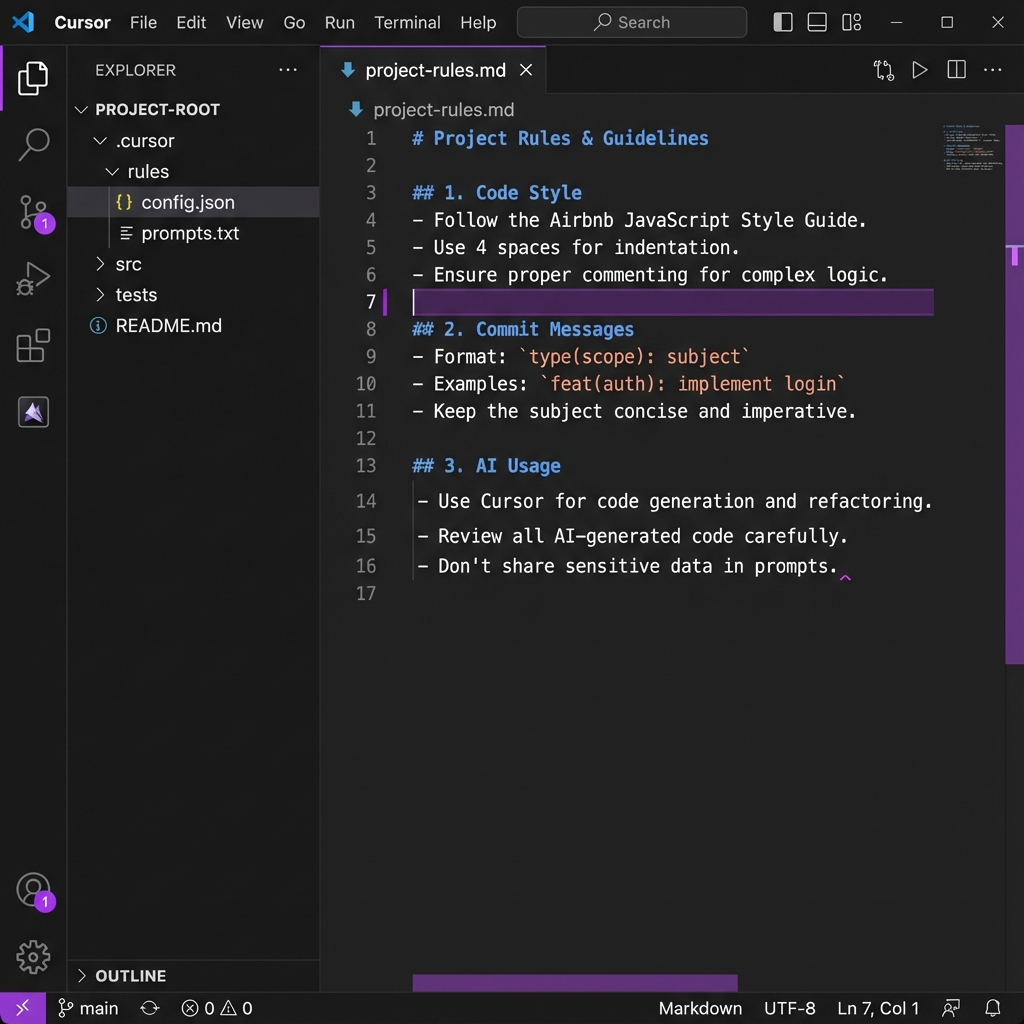
Setting up project rules in the .cursor directory ensures AI follows your coding standards.
Main Project Rules File
Create .cursor/rules/project-rules.md:
## Project Context Rules

## Identity

This is [Project Name], a [brief description].

## Spec-Driven Development

This project uses Spec-Driven Development. All code MUST match specifications.

## Required Context Files

Before implementing any feature, check these documents:

### Core Specs

- `@docs/03-architecture/api-spec.yaml` - API endpoint contracts
- `@docs/03-architecture/schema.md` - Database structure
- `@docs/03-architecture/system-overview.md` - Architecture patterns

### Feature Specs

- `@docs/04-features/prd-core.md` - Core feature requirements
- `@docs/02-users/user-flows.md` - User interaction flows

## Strict Rules

1. **Scope Lock**
   - ONLY implement features listed in PRD "In Scope" sections
   - If a feature isn't in the PRD, ask before implementing

2. **API Compliance**
   - ONLY use endpoints defined in api-spec.yaml
   - Match request/response schemas exactly
   - Include all specified error codes

3. **Schema Compliance**
   - ONLY use columns defined in schema.md
   - Respect all constraints and relations
   - Use exact column names (not similar names)

4. **Pattern Compliance**
   - Follow architecture patterns from system-overview.md
   - Use existing utility functions before creating new ones
   - Match established naming conventions

## When Uncertain

STOP and ask for clarification. Do NOT invent or assume.

## Tech Stack

- Framework: [Your framework]
- Database: [Your database]
- Auth: [Your auth solution]
- Hosting: [Your hosting]
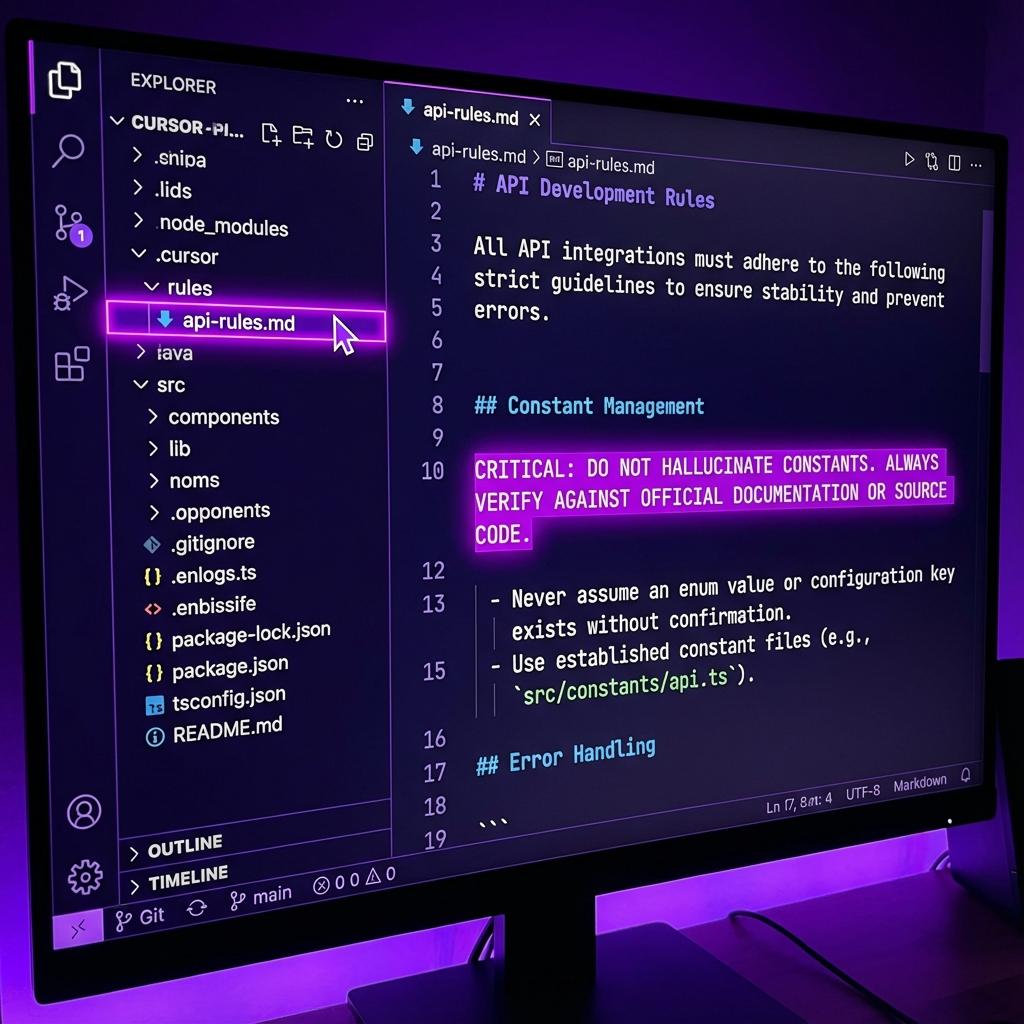
Organizing rules in the .cursor folder keeps the AI context-aware.
Specialized Rules Files
Create additional rules for specific contexts:
.cursor/rules/api-rules.md:
## API Development Rules

## Endpoint Implementation

When implementing API endpoints:

1. Reference `@docs/03-architecture/api-spec.yaml`
2. Match exact path, method, and parameters
3. Return exact response schema
4. Include all error responses

## Authentication

- Use existing auth middleware at `@src/middleware/auth.ts`
- Check permissions using `@src/lib/permissions.ts`
- Never create new auth patterns

## Error Handling

Standard error response format:

```json
{
  "error": "ERROR_CODE",
  "message": "Human readable message",
  "details": {}
}
```
**`.cursor/rules/frontend-rules.md`:**
```markdown
## Frontend Development Rules

## Component Patterns

- Use components from `@src/components/ui/`
- Follow existing naming: `ComponentName.tsx`
- Include TypeScript types

## Data Fetching

- Use `@src/lib/api.ts` for all API calls
- Handle loading and error states
- Use React Query patterns from existing components

## Styling

- Use Tailwind CSS utilities
- Follow existing color scheme
- Match existing spacing patterns
Step 3: Master @file References
Basic @file Usage
Reference any file in your prompts:
Using @docs/03-architecture/api-spec.yaml, implement the GET /api/projects endpoint.
Multiple File References
Combine specs for complete context:
Using:
- @docs/03-architecture/api-spec.yaml
- @docs/03-architecture/schema.md
- @docs/02-users/user-flows.md

Implement the project creation feature with validation.
Referencing Existing Code
Include implementation files for context:
Reference @src/app/api/users/route.ts as the pattern.
Implement @src/app/api/projects/route.ts following the same structure.
@file Best Practices
| Do | Don't |
|---|---|
| Reference specific spec files | Reference entire directories |
| Include relevant code examples | Assume context is loaded |
| Combine specs for full picture | Reference too many files (max 5-7) |
| Use relative paths from project root | Use absolute system paths |
Step 4: Prompt Patterns That Work
Pattern 1: Endpoint Implementation
Using @docs/03-architecture/api-spec.yaml:

Implement the POST /api/projects endpoint.

From the spec:
- Request body: CreateProjectRequest schema
- Response: ProjectResponse schema
- Errors: 400 (validation), 401 (unauthorized), 500 (server error)

Requirements:
- Use auth middleware from @src/middleware/auth.ts
- Use database client from @src/lib/db.ts
- Follow the pattern in @src/app/api/users/route.ts

Create file: src/app/api/projects/route.ts
Pattern 2: Feature Implementation
Using @docs/04-features/prd-core.md (Section 3: Project Management):

Implement US-003: "As a user, I want to create a project, so I can organize my work."

Acceptance Criteria (from PRD):
- Given: User is logged in
- When: User clicks "New Project" button
- Then: Modal appears with name field

- Given: User enters valid name (3-50 chars)
- When: User clicks "Create"
- Then: Project is created, user sees project page

Constraints:
- Only use API endpoint from @docs/03-architecture/api-spec.yaml
- Only use components from @src/components/ui/

Create files as needed in src/components/projects/
Pattern 3: Database Query
Using @docs/03-architecture/schema.md (projects table):

Write a query to fetch all projects for a user, ordered by creation date.

The schema shows:
- Table: projects
- Columns: id, name, owner_id, created_at
- Relation: owner_id -> users.id

Use the database client pattern from @src/lib/db.ts
Pattern 4: Bug Fix
Context Files:
- @docs/03-architecture/api-spec.yaml
- @src/app/api/projects/[id]/route.ts

Bug: DELETE /api/projects/:id returns 500 instead of 404 when project doesn't exist.

The API spec shows 404 should return:
```json
{
  "error": "NOT_FOUND",
  "message": "Project not found"
}
Fix the implementation to match the spec.
### Pattern 5: Refactoring
Reference:
- @docs/03-architecture/system-overview.md (API patterns section)
- @src/app/api/ (all route files)
The architecture doc shows we should use error handling middleware. Several routes handle errors manually.
Refactor these routes to use the central error handler. Show me the changes needed.
---

## Step 5: Using Composer Effectively

### What is Composer?

Composer (Cmd+I) is Cursor's multi-file editing mode. It can:
- Create multiple files at once
- Edit across files coherently
- Maintain context across changes

### Composer Workflow

1. **Open Composer:** Cmd+I (Mac) / Ctrl+I (Windows)

2. **Add Context Files:**
   - Click "Add context"
   - Select spec files (api-spec.yaml, schema.md, etc.)
   - Select target files to modify

3. **Write Your Prompt:**
Implement the complete project CRUD feature.
Create:
- src/app/api/projects/route.ts (list, create)
- src/app/api/projects/[id]/route.ts (get, update, delete)
- src/components/projects/ProjectList.tsx
- src/components/projects/CreateProjectModal.tsx
Follow the patterns in the included specs.
4. **Review Changes:**
- Composer shows diffs for each file
- Accept/reject individual changes
- Request modifications before applying

### Composer Best Practices

| Do | Don't |
|----|-------|
| Add all relevant specs to context | Rely on Composer to find specs |
| Review each file diff carefully | Bulk accept without review |
| Break large features into steps | Try to implement everything at once |
| Include example files for patterns | Expect Composer to guess patterns |

---

## Step 6: Validate and Iterate

### Validation Checklist

After Cursor generates code, verify:

```markdown
## API Validation
- [ ] Endpoint path matches api-spec.yaml
- [ ] HTTP method matches spec
- [ ] Request body matches schema
- [ ] Response body matches schema
- [ ] All error codes implemented

## Database Validation
- [ ] Table names match schema.md
- [ ] Column names exact match
- [ ] Relations correct
- [ ] Constraints respected

## Architecture Validation
- [ ] Follows established patterns
- [ ] Uses existing utilities
- [ ] Matches naming conventions
- [ ] No code duplication

## Scope Validation
- [ ] Feature is in PRD scope
- [ ] No extra features added
- [ ] Acceptance criteria met
Validation Prompt
Validate @src/app/api/projects/route.ts against specs:

Check @docs/03-architecture/api-spec.yaml:
1. Path correct?
2. Methods correct?
3. Schemas match?

Check @docs/03-architecture/schema.md:
1. Column names correct?
2. Types correct?

List any discrepancies.
Automated Validation
## Type checking
npm run typecheck

## Linting
npm run lint

## Tests
npm run test

## Build verification
npm run build
Advanced Techniques
Technique 1: Incremental Implementation
Instead of generating everything at once:
Step 1: Create the database query function
@docs/03-architecture/schema.md

Step 2: Create the API endpoint
@docs/03-architecture/api-spec.yaml + step 1 output

Step 3: Create the UI component
@docs/02-users/user-flows.md + step 2 output

Step 4: Wire up the integration
All previous steps
Technique 2: Contract Testing
Using @docs/03-architecture/api-spec.yaml:

Generate a test that verifies:
1. POST /api/projects returns 201 with valid data
2. POST /api/projects returns 400 with missing name
3. GET /api/projects returns array of projects

Use the testing patterns from @src/__tests__/
Technique 3: Spec-First Development
When adding new features:
- Update specs first (PRD, API spec, schema)
- Re-export from Context Ark or update manually
- Generate implementation using updated specs
- Validate against new specs
Technique 4: Context Windowing
For large features, manage context size:
Session 1: API layer
- @docs/03-architecture/api-spec.yaml
- @docs/03-architecture/schema.md

Session 2: Business logic
- @docs/04-features/prd-core.md
- @src/app/api/... (from session 1)

Session 3: UI layer
- @docs/02-users/user-flows.md
- @src/components/... (target)
Troubleshooting
Issue: Cursor Ignores Specs
Symptoms: AI invents endpoints/columns not in specs
Solutions:
- Explicitly quote the spec in your prompt
- Use CRITICAL/MUST language
- Reduce context (too many files = diluted attention)
CRITICAL: The API spec shows the response schema is:
"""
{
  "id": "uuid",
  "name": "string",
  "createdAt": "datetime"
}
"""

Do NOT add any fields not in this schema.
Issue: Pattern Mismatch
Symptoms: Generated code uses different patterns than existing code
Solutions:
- Include example files:
Follow the pattern in @src/app/api/users/route.ts - Be explicit about conventions
- Add patterns to rules files
Issue: Rules Not Loading
Symptoms: AI doesn't follow project rules
Solutions:
- Verify
.cursor/rules/path in settings - Check file is named
.md - Restart Cursor after adding rules
- Reference rules explicitly: "Following rules in .cursor/rules/"
Issue: Too Much Context
Symptoms: Slow responses, confused output
Solutions:
- Limit to 5-7 @file references per prompt
- Use specific sections of large docs
- Break into smaller tasks
Prompt Template Library
Template: New API Endpoint
Using @docs/03-architecture/api-spec.yaml:

Create [HTTP_METHOD] /api/[path] endpoint.

Spec says:
- Request: [schema name or inline]
- Response: [schema name or inline]
- Errors: [list error codes]

Requirements:
- Use auth from @src/middleware/auth.ts
- Use db from @src/lib/db.ts
- Follow pattern in @src/app/api/[example]/route.ts

Target: src/app/api/[path]/route.ts
Template: User Story
Using @docs/04-features/prd-core.md (Section [X]):

Implement: [Story ID] - [Story Title]

Acceptance Criteria:
- Given [context], when [action], then [result]
- Given [context], when [action], then [result]

Constraints:
- APIs: Only @docs/03-architecture/api-spec.yaml
- UI: Only @src/components/ui/
- Data: Only @docs/03-architecture/schema.md columns

Create files in: [target directory]
Template: Component
Using @docs/02-users/user-flows.md ([flow name]):

Create a [ComponentName] component that:
- [requirement 1]
- [requirement 2]
- [requirement 3]

Props:
- [prop]: [type] - [description]

Follow patterns from @src/components/[example].tsx

Target: src/components/[path]/[ComponentName].tsx
Template: Database Migration
Using @docs/03-architecture/schema.md:

Create a migration to add [table/column]:

Current schema shows: [current state]
Target schema: [desired state]

Generate SQL migration file.
Generate updated TypeScript types.
FAQs
How often should I regenerate specs?
Regenerate when requirements change significantly. For minor updates, manually edit the exported specs.
Can I use this with Cursor's free tier?
Yes, but the paid tier provides more context and faster responses, making the workflow more effective.
What if my project doesn't have all spec documents?
Start with what you have. Even API spec + schema alone dramatically reduces hallucinations.
How do I handle large files in @file references?
Reference specific sections or create summary documents. Cursor has context limits.
Should I version control the .cursor/rules folder?
Yes—commit it so your team shares the same rules.
Related Resources
- Context Ark + Cline Workflow
- Context Ark + v0 Workflow
- Context Ark + Lovable Workflow
- SDD Template Pack
- Spec Readiness Score — Check if your docs are ready for Cursor.
- PRD Generator — Create your first spec.
Specs + @files = reliable AI code. Generate your spec pack →
Last updated: January 2026
Context Ark Team
Writing about AI, documentation, and developer tools
Is your spec ready for AI?
Vibe coding fails when context is missing. Get a readiness score and find out what you're forgetting.